Free Offline PDF Scanner for Android

Scan documents.
Keep them yours.

PocketLens turns your camera into a PDF scanner with copy-paste text recognition, that never touches the internet — no account, no cloud, nothing uploaded, ever.

Get it on Google Play Free to start · one-time unlock, no subscription

How it works

Three steps, all of them on your phone.

1

Point & capture

Aim the camera at a page. Edges get detected and cropped automatically — keep going until every page is in.

2

Recognize

On-device OCR recognizes the text on each page in seconds, so you can copy and paste it later — no network call, nothing leaves the phone.

3

Finish & file it away

Sign it, merge it with others, or drop it in a folder. It's saved to your device the moment you tap Save.

See it in action

Real screens from the app — nothing staged.

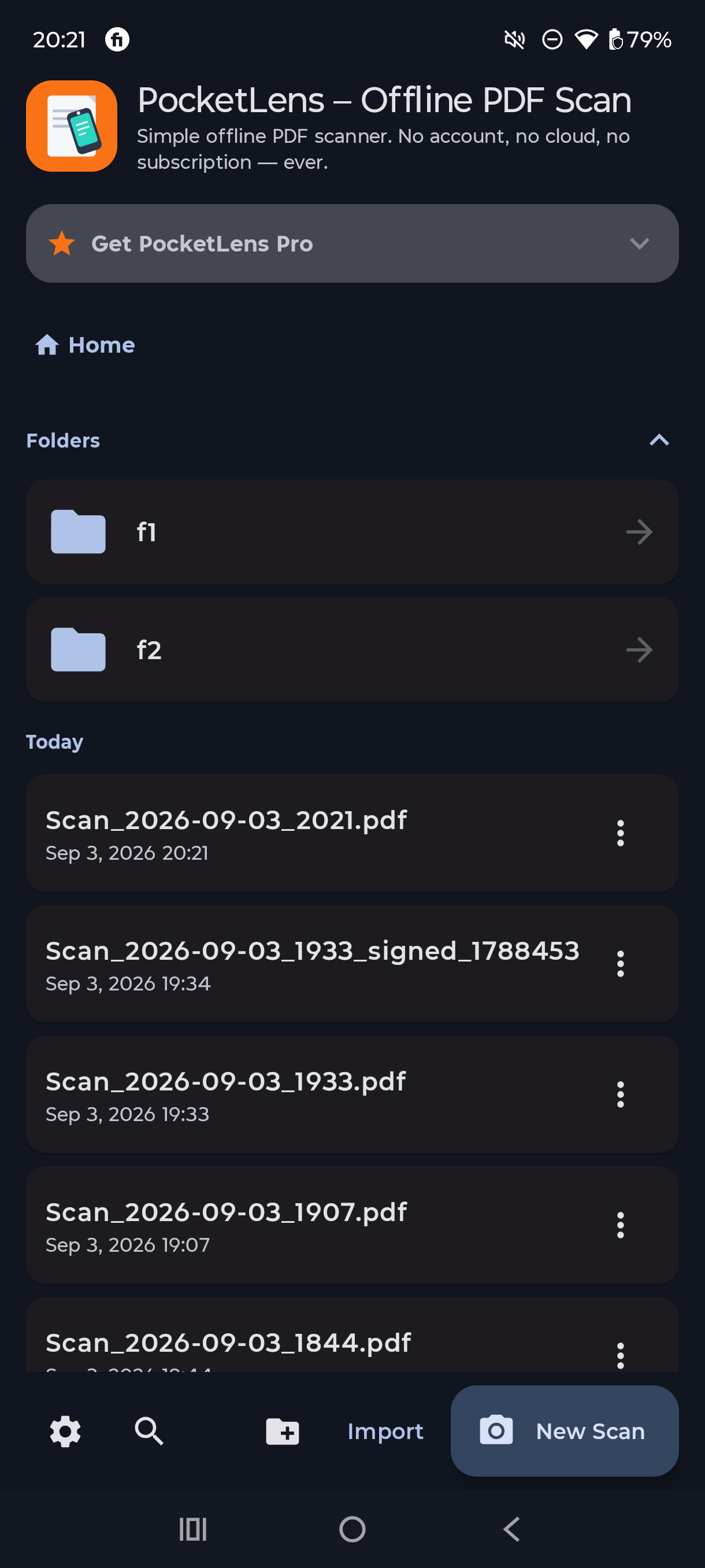
PocketLens home screen showing scanned PDFs organized into folders — no account required
Scans organized into folders, right on Home
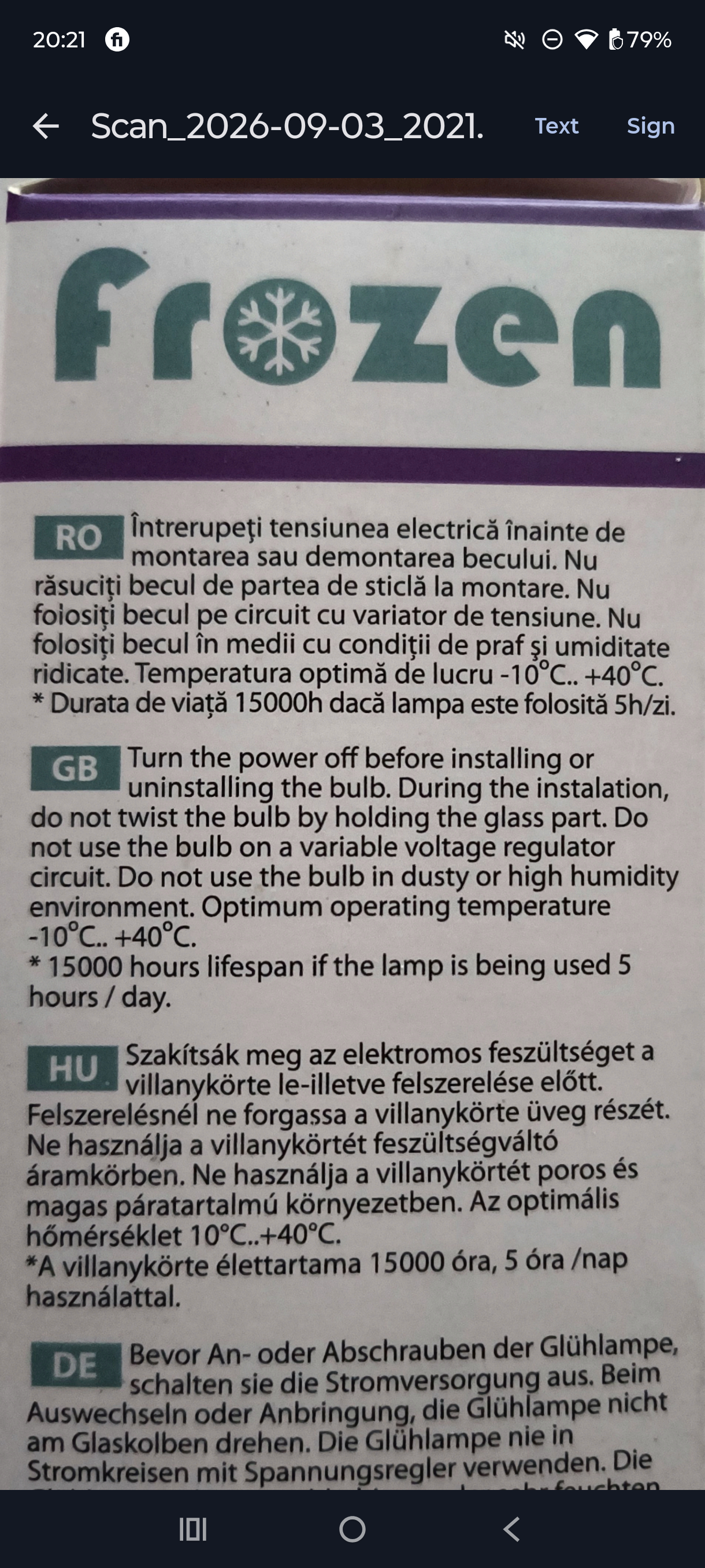
PocketLens PDF viewer with on-device OCR text recognition, ready to copy and paste
Copy recognized text, or sign, right from the viewer
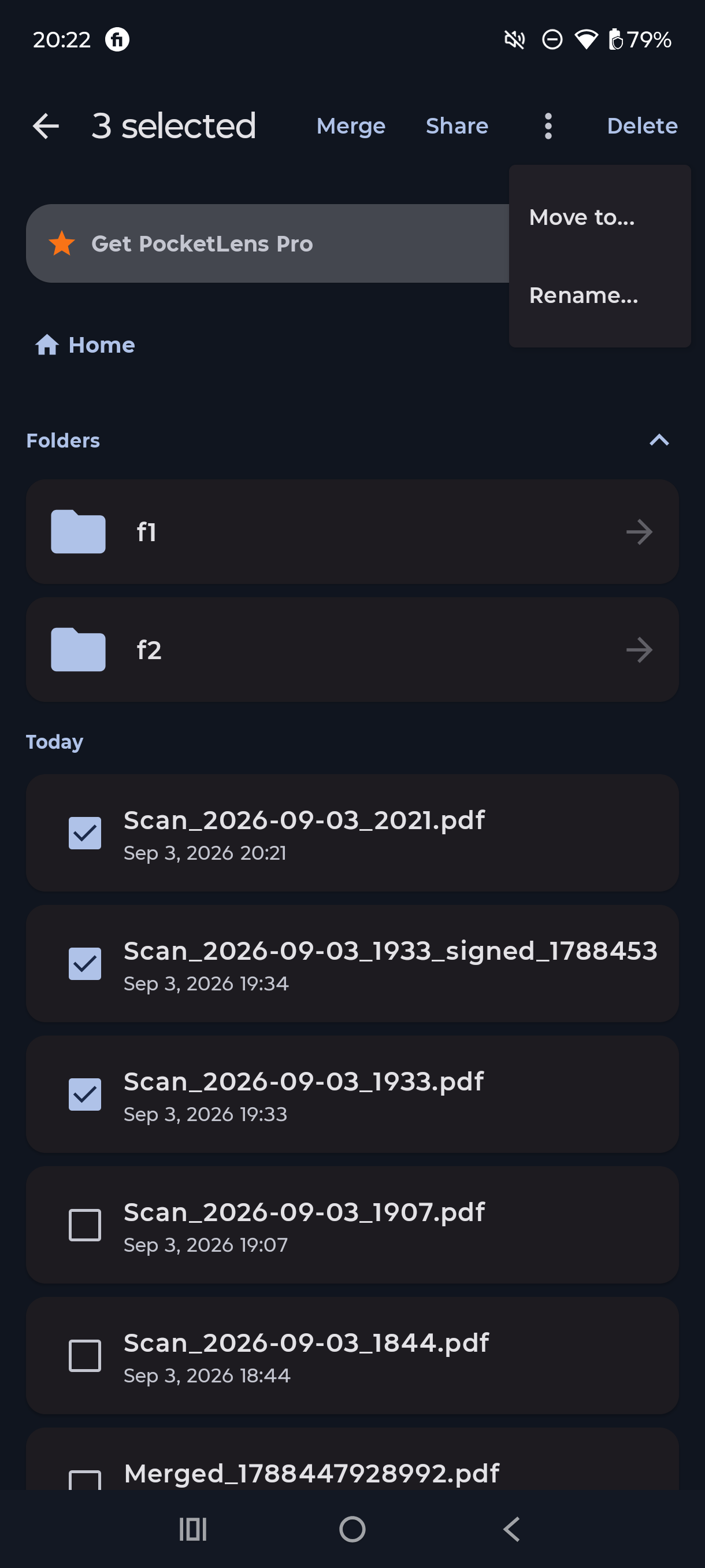
Bulk actions in PocketLens — merge, share, move, or rename multiple scans at once
Select several scans to merge, move, or rename together
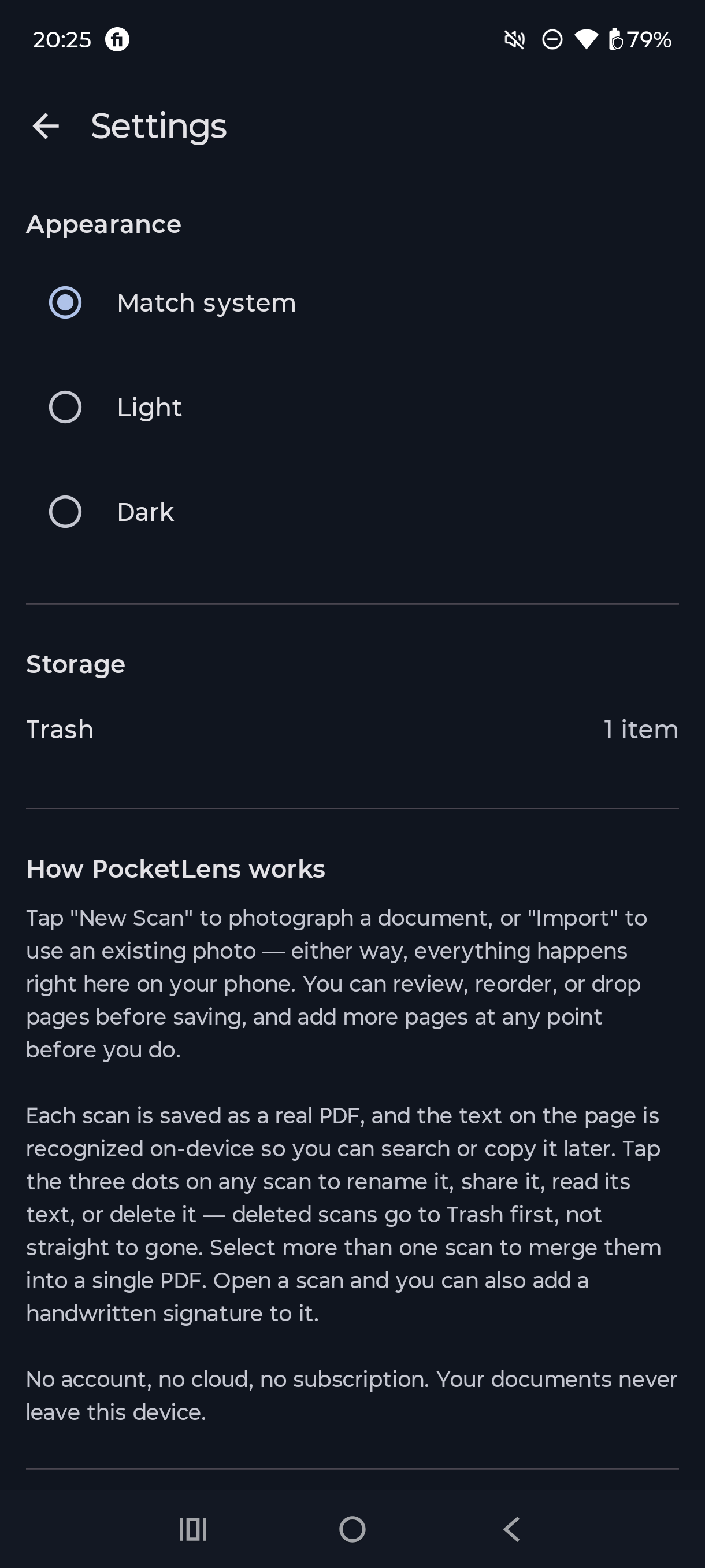
PocketLens settings screen confirming no account, no cloud, no subscription — documents stay on your device
No account, no cloud, no subscription — by design

What it can do

No bloat, no upsells for basic editing. Just the tools a scanned document actually needs, done well.

01 · CAPTURE

Auto-cropped, multi-page scans

Point the camera at a page — edges get detected and cropped automatically. Keep adding pages until the document's done.

02 · COPY TEXT

Every scan's text is copy-paste ready

On-device text recognition turns each page into real, selectable text — copy a line or a whole paragraph, no retyping.

03 · SIGN

Sign, anywhere on the page

Draw a signature directly onto the document preview and drop it exactly where it needs to go — not locked to one corner.

04 · ORGANIZE

Folders, nested as deep as you like

Sort scans into folders and subfolders, move or bulk-rename several at once — numbered in the order you scanned them.

05 · COMBINE

Merge scans, number the pages

Stitch several scans into one PDF, with an optional "1/3, 2/3…" stamp in the corner of every page.

06 · UNDO

Deleted isn't gone

Removed scans sit in Trash for 30 days before they're purged — a safety net for the day you delete the wrong one.

Why offline

Your documents stay exactly where you scanned them.

No account to create, no server to trust, no sync to leak. PocketLens was built around one rule: a scanned document is yours, and it stays that way.

  • Text recognition runs on-device, using Google's ML Kit — never a cloud API call.
  • No sign-up. No password, no profile, nothing tied to an identity.
  • No analytics, no trackers, no ad SDKs bundled in.
/Documents/PocketLens/
Lease_Agreement.pdf2.1 MB
Scan_2026-09-03_1432.pdf640 KB
Warranty_Card-signed.pdf480 KB
Receipts/12 items
Trash/auto-clears in 30d
Free
$0

Every core tool, unlimited scans, forever — with a modest page limit per single scan.

  • Scan, sign, organize, merge
  • On-device OCR, copy & paste text
  • 30-day Trash safety net
Pro · one-time
$9.99 once, not monthly

Removes the per-scan page limit. That's the whole upgrade — no other feature is held back.

  • Unlimited pages per scan
  • Pay once, keep it forever
  • No account needed to unlock it

Why one-time beats a subscription

Most scanner apps charge per month or per year. This is the entire lifetime cost, compared honestly — no specific competitor named, just the pattern the category runs on.

PocketLens Pro Typical subscription scanner app
Price model One-time purchase Recurring subscription
Year 1 $9.99 ~$30–60/year (often more for full OCR & editing)
Year 3 $9.99 ~$90–180
Every year after $0 more, ever Same charge, again
Stop paying Nothing to cancel — it's already yours Lose access to your own scans' full features

Figures reflect typical published pricing for premium/subscription-tier document-scanner apps as of 2026, rounded — not a specific product.

Scan the next one offline.

Free on Google Play. No account required.